


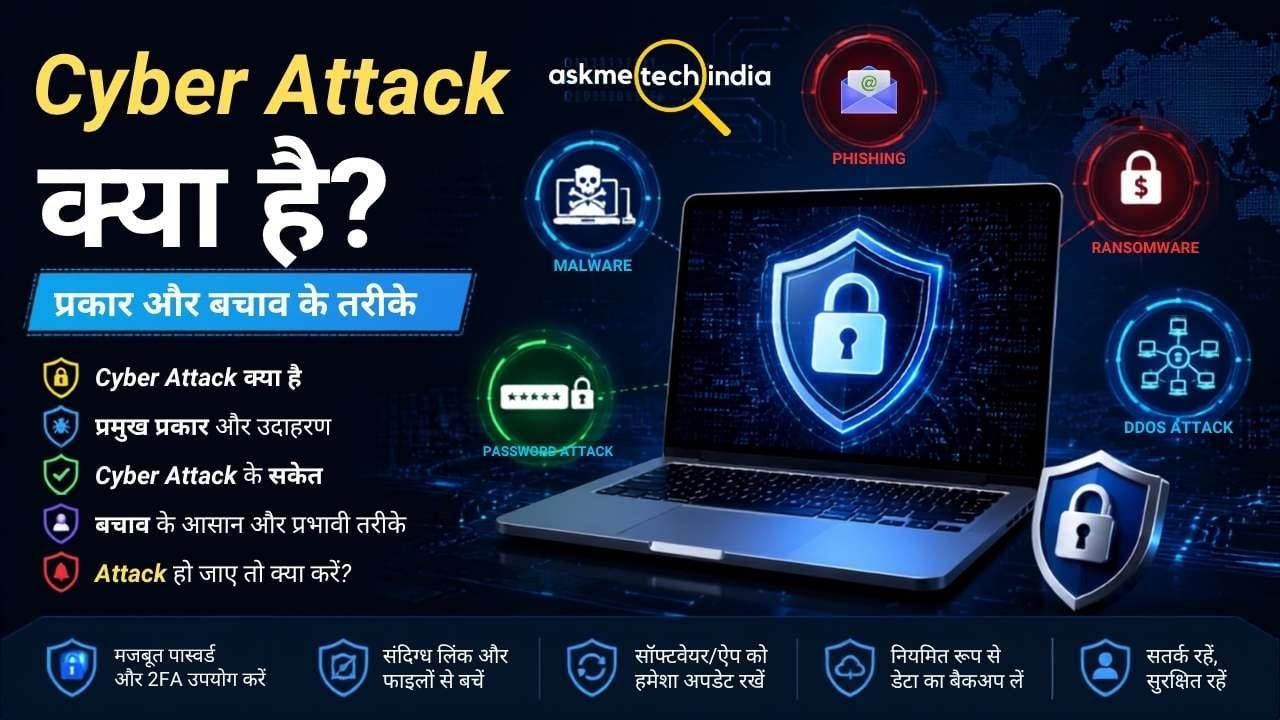
Cyber Attack क्या है? प्रकार, उदाहरण और बचाव के तरीके
आज इंटरनेट, Smartphone, Computer, Online Banking, Social Media और Cloud Services हमारी रोजमर्रा की जिंदगी का हिस्सा बन चुके हैं। इसके साथ ही Cyber Attack का खतरा भी बढ़ गया है। Cyber Attack के जरिए कोई attacker किसी व्यक्ति, कंपनी, website, computer, network या online account को नुकसान पहुंचाने, data चुराने, access हासिल करने या service को बाधित करने की कोशिश कर सकता है।
Cyber Attack केवल बड़ी कंपनियों या सरकारी संस्थाओं तक सीमित नहीं हैं। एक सामान्य internet user भी Phishing, Malware, Password Attack, Account Takeover और Scam जैसे cyber attacks का शिकार हो सकता है।
इस article में हम जानेंगे कि Cyber Attack क्या है, इसके प्रमुख प्रकार कौन-कौन से हैं, Cyber Attack कैसे किया जाता है, इसके संकेत क्या हैं और इससे बचने के practical तरीके क्या हैं।
महत्वपूर्ण: Cyber Attack के तरीके समझना Cyber Security awareness के लिए उपयोगी है। किसी दूसरे व्यक्ति, device या network पर बिना अनुमति access हासिल करना गैरकानूनी हो सकता है।
Cyber Attack क्या है?
Cyber Attack एक ऐसा malicious attempt है जिसमें attacker किसी computer system, network, website, server, application, online account या digital data की confidentiality, integrity या availability को प्रभावित करने की कोशिश करता है।
सरल भाषा में कहें तो जब कोई व्यक्ति या cyber criminal technology का गलत इस्तेमाल करके किसी digital system में unauthorized access पाने, information चोरी करने, data बदलने, files को नुकसान पहुंचाने या online service को बंद करने की कोशिश करता है, तो उसे Cyber Attack कहा जा सकता है।
Cyber attacks का उद्देश्य अलग-अलग हो सकता है, जैसे:
- Password और login credentials चोरी करना
- Personal या financial information चुराना
- Computer में Malware install करना
- Files को encrypt करके ransom मांगना
- Website या server को unavailable करना
- किसी account पर unauthorized control हासिल करना
- Sensitive data चोरी या leak करना
- किसी organization के कामकाज को बाधित करना
CISA के अनुसार malicious actors computers, networks या information की availability, integrity या confidentiality को compromise करने की कोशिश कर सकते हैं।
Cyber Attack कैसे काम करता है?
हर Cyber Attack एक जैसा नहीं होता। Attack का तरीका target और attacker के उद्देश्य पर निर्भर करता है।
एक सामान्य attack को आसान तरीके से इस तरह समझ सकते हैं:
Target की पहचान → कमजोर बिंदु ढूंढना → Initial Access → Access बढ़ाना → Data/Systems को नुकसान → उद्देश्य पूरा करना
उदाहरण के लिए किसी attacker को किसी व्यक्ति का online account target करना है। वह पहले fake message या email भेज सकता है। User अगर fake link पर login details डाल देता है, तो credentials attacker तक पहुंच सकते हैं।
इसी तरह किसी computer में malicious file के जरिए Malware पहुंचाया जा सकता है।
इसलिए Cyber Security में केवल antivirus लगाना पर्याप्त नहीं है। User awareness, strong authentication, software updates, backups और access controls भी महत्वपूर्ण हैं।
Cyber Crime क्या है? इसके प्रकार, बचाव और भारत में शिकायत करने का तरीका जानने के लिए यह साइबर अपराध की पूरी जानकारी और शिकायत प्रक्रिया जरूर पढ़ें।
Cyber Attack के प्रमुख प्रकार
Cyber Attack कई प्रकार के हो सकते हैं। नीचे सामान्य users और organizations को प्रभावित करने वाले प्रमुख प्रकार दिए गए हैं।
1. Phishing Attack
Phishing में attacker किसी भरोसेमंद व्यक्ति, company, bank, government service या website का रूप लेकर user को धोखा देने की कोशिश करता है।
यह Email, SMS, Social Media message या अन्य communication channels के जरिए हो सकता है।
उदाहरण:
आपको एक message मिलता है:
“आपका account बंद होने वाला है। तुरंत verification करें।”
Message में दिए गए link पर जाने के बाद एक fake login page खुल सकता है। User वहां username और password डाल देता है और जानकारी attacker के पास पहुंच सकती है।
Phishing के एक targeted रूप को Spear Phishing कहा जाता है। SMS आधारित phishing को अक्सर Smishing कहा जाता है। CISA phishing को cyber intrusions के common delivery methods में शामिल करता है।
बचाव:
- Unknown links पर तुरंत click न करें।
- Sender का email address या phone number ध्यान से देखें।
- Login करने के लिए message में आए link के बजाय official website/app खोलें।
- OTP, password और recovery codes किसी के साथ share न करें।
- Suspicious attachment को download न करें।
आपकी website पर मौजूद Phishing क्या है? article को यहां natural internal link के रूप में जोड़ा जा सकता है।
2. Malware Attack
Malware का पूरा अर्थ Malicious Software है। यह ऐसा software या code होता है जिसे किसी device, system या network को नुकसान पहुंचाने, information चोरी करने या unauthorized activity करने के लिए बनाया जाता है।
Malware के कई रूप हो सकते हैं:
- Virus
- Trojan
- Worm
- Spyware
- Ransomware
- कुछ प्रकार के malicious scripts और software
CISA के अनुसार Malware एक broad term है जिसमें programmable device, service या network को harm या exploit करने के लिए बनाए गए malicious software शामिल होते हैं।
Malware अक्सर malicious attachment, fake software, compromised website, unsafe download या phishing के माध्यम से device तक पहुंच सकता है।
बचाव:
- Software केवल trusted/official sources से download करें।
- Operating System और apps को update रखें।
- Security software को active रखें।
- Unknown email attachments न खोलें।
- Pirated/cracked software से बचें।
3. Ransomware Attack
Ransomware Malware का एक खतरनाक प्रकार है। इसमें attacker victim की files या systems तक access को block करने के लिए data को encrypt कर सकता है और फिर पैसे की मांग कर सकता है।
कुछ ransomware attacks में attackers data चोरी करके उसे public करने की धमकी भी दे सकते हैं। इसे Double Extortion जैसे मॉडल के रूप में देखा गया है।
उदाहरण के लिए:
Computer में ransomware → Files encrypt → Files inaccessible → Attacker ransom मांगता है
बचाव:
- Important files का नियमित backup रखें।
- Backup को केवल उसी computer से permanently connected न रखें।
- Backup को समय-समय पर test करें।
- Software और operating system update रखें।
- Suspicious attachments और links से बचें।
- Important accounts पर MFA enable करें।
NIST भी ransomware और data-loss incidents के खिलाफ backups को maintain और test करने की आवश्यकता पर जोर देता है।
4. DDoS Attack
DDoS (Distributed Denial-of-Service) attack में किसी website, server या online service पर बहुत अधिक malicious traffic भेजकर उसे legitimate users के लिए unavailable करने की कोशिश की जाती है।
सरल उदाहरण:
Normal traffic → Server आसानी से request संभालता है
लेकिन:
बहुत ज्यादा malicious requests → Server पर load बढ़ता है → Service slow/down हो सकती है
CISA के अनुसार DDoS attacks computers और networks को traffic से overload करके legitimate requests को disrupt कर सकते हैं।
DDoS से बचाव के लिए organizations traffic filtering, rate limiting, DDoS protection services और suitable network architecture जैसी तकनीकों का इस्तेमाल कर सकती हैं।
5. Password Attack
इस प्रकार के attack में attacker किसी account का password हासिल करने या अनुमान लगाने की कोशिश कर सकता है।
इसके लिए विभिन्न techniques इस्तेमाल की जा सकती हैं, जैसे:
- Brute Force
- Password Guessing
- Credential Stuffing
- Password spraying
एक बड़ी समस्या यह है कि लोग कई websites पर एक ही password इस्तेमाल करते हैं। अगर किसी service का password leak हो जाए तो वही password दूसरी services पर भी जोखिम पैदा कर सकता है।
बचाव:
- हर महत्वपूर्ण account के लिए अलग password रखें।
- Long और unique passwords इस्तेमाल करें।
- Password Manager का उपयोग कर सकते हैं।
- MFA/2FA enable करें।
- पुराने या compromised passwords बदलें।
6. Man-in-the-Middle (MitM) Attack
Man-in-the-Middle Attack में attacker दो communicating parties के बीच communication को intercept या manipulate करने की कोशिश करता है।
उदाहरण के तौर पर public या insecure network का गलत configuration/security weakness communication को जोखिम में डाल सकती है।
बचाव:
- Sensitive काम के लिए trusted network का इस्तेमाल करें।
- HTTPS वाली websites को प्राथमिकता दें।
- Unknown Wi-Fi networks पर sensitive transactions करने से बचें।
- Device और browser को updated रखें।
7. SQL Injection
SQL Injection एक web application attack है जिसमें attacker application के input को इस तरह manipulate करने की कोशिश करता है कि backend database पर unintended SQL operations हो जाएं।
अगर application में proper input validation और secure database queries नहीं हैं, तो database security प्रभावित हो सकती है।
इससे:
- Data exposure
- Unauthorized database access
- Data modification
- कभी-कभी application compromise
जैसी समस्याएं हो सकती हैं।
बचाव:
Developers को parameterized queries/prepared statements, proper input validation, least-privilege database accounts और secure coding practices अपनानी चाहिए।
8. Zero-Day Attack
Zero-Day उस vulnerability से जुड़ा शब्द है जिसके लिए vulnerability मौजूद होने के बावजूद vendor के पास उसे ठीक करने के लिए पर्याप्त समय या patch उपलब्ध न हो सकता है।
अगर attacker किसी ऐसी vulnerability का फायदा उठाता है, तो attack का पता लगाना और उससे बचाव करना कठिन हो सकता है।
बचाव:
- Software updates जल्दी install करें।
- Unnecessary services disable रखें।
- Security monitoring रखें।
- Trusted security advisories पर नजर रखें।
- महत्वपूर्ण systems में layered security रखें।
9. Social Engineering Attack
Social Engineering में attacker technology की कमजोरी के बजाय इंसान की psychology और trust का फायदा उठाने की कोशिश करता है।
उदाहरण:
- Fake customer support
- Fake bank representative
- Fake job offer
- Fake delivery message
- Urgent payment request
- Fake technical support
Phishing Social Engineering का एक प्रमुख उदाहरण है।
इसलिए Cyber Security केवल technical protection का विषय नहीं है; user awareness भी बहुत महत्वपूर्ण है।
10. Supply Chain Attack
Supply Chain Attack में attacker सीधे target organization को attack करने के बजाय उसके trusted software, vendor, service provider या third-party dependency को compromise करने की कोशिश कर सकता है।
यदि compromised software या service कई organizations इस्तेमाल कर रही हों, तो attack का प्रभाव बड़ा हो सकता है।
Organizations को third-party risk management, software security, access controls और vendor security practices पर ध्यान देना चाहिए।
Cyber Attack से क्या नुकसान हो सकता है?
Cyber Attack का impact केवल computer खराब होने तक सीमित नहीं है।
इसके कारण:
- Personal data चोरी हो सकता है।
- Bank/financial accounts खतरे में पड़ सकते हैं।
- Social media account takeover हो सकता है।
- Files permanently lost हो सकती हैं।
- Business operations रुक सकते हैं।
- Website down हो सकती है।
- Customer data leak हो सकता है।
- Reputation को नुकसान हो सकता है।
- Financial loss हो सकता है।
- Privacy प्रभावित हो सकती है।
Ransomware और destructive attacks organizations के data, operations और reputation पर गंभीर प्रभाव डाल सकते हैं।
Cyber Attack के सामान्य संकेत
हर attack तुरंत दिखाई नहीं देता, लेकिन कुछ warning signs पर ध्यान दिया जा सकता है:
- Account में unknown login दिखाई देना
- Password अचानक काम न करना
- बिना request के OTP या password-reset message आना
- Computer अचानक बहुत slow होना
- Unknown applications install होना
- Browser में unwanted pop-ups बढ़ना
- Files का नाम या extension बदल जाना
- Files open न होना
- Antivirus/security alerts आना
- Social media account से unknown posts/messages जाना
- Bank या payment account में suspicious activity दिखना
ध्यान रखें कि इनमें से किसी एक संकेत का मतलब हमेशा Cyber Attack नहीं होता। लेकिन suspicious activity दिखने पर जांच करना जरूरी है।
Cyber Attack से बचने के तरीके
1. Strong और Unique Password रखें
हर महत्वपूर्ण account के लिए अलग password इस्तेमाल करें।
Password को इतना मजबूत रखें कि उसे आसानी से guess न किया जा सके। जहां संभव हो, Password Manager का इस्तेमाल किया जा सकता है।
2. MFA/2FA Enable करें
Multi-Factor Authentication (MFA) account security को मजबूत करने की महत्वपूर्ण layer है।
इसमें केवल password के बजाय additional verification की जरूरत होती है।
जहां उपलब्ध हो, phishing-resistant authentication जैसे cryptographic methods अधिक मजबूत protection दे सकते हैं; NIST के अनुसार manually entered OTP को phishing-resistant authentication नहीं माना जाता।
इसलिए केवल “2FA लगा है” देखकर रुकना नहीं चाहिए—service में उपलब्ध सबसे मजबूत practical authentication option को प्राथमिकता देना बेहतर है।
3. Software और Apps Update रखें
Operating System, Browser, Mobile Apps और Security Software के updates को ignore न करें।
Updates में security vulnerabilities के fixes भी शामिल हो सकते हैं।
इसलिए:
Update Available → Official Source → Verify → Update
का नियम अपनाएं।
4. Unknown Links पर Click न करें
किसी message में “तुरंत account बंद हो जाएगा”, “आपको prize मिला है” या “KYC तुरंत complete करें” जैसी urgency दिखाई दे तो पहले verify करें।
Official website को खुद browser/app से खोलना अधिक सुरक्षित तरीका है।
5. Important Data का Backup रखें
Important documents, photos और work files का regular backup रखें।
बहुत महत्वपूर्ण data के लिए केवल एक backup copy पर निर्भर न रहें। Backup को सुरक्षित रखें और समय-समय पर यह भी जांचें कि files वास्तव में restore हो सकती हैं।
NIST और CISA ransomware/data-loss protection में secure backups और recovery planning को महत्वपूर्ण मानते हैं।
6. Pirated और Cracked Software से बचें
Cracked software या unofficial installers में malicious software होने का जोखिम हो सकता है।
Software को संभव हो तो:
- Official website
- Official App Store
- Microsoft Store
- Google Play
- Apple App Store
जैसे trusted sources से ही install करें।
7. Public Wi-Fi पर सावधानी रखें
Public Wi-Fi का इस्तेमाल करते समय sensitive activities में अतिरिक्त सावधानी रखें।
विशेषकर:
- Banking
- Important account login
- Confidential work
- Sensitive data transfer
के समय trusted connection का इस्तेमाल करना बेहतर है।
8. Personal Information जरूरत से ज्यादा Share न करें
Social Media पर अत्यधिक personal information publicly share करने से attackers को Social Engineering या account recovery attacks में मदद मिल सकती है।
अपनी:
- जन्मतिथि
- Phone Number
- Address
- Personal documents
- Account details
जैसी information को जरूरत के अनुसार ही share करें।
9. Security Alerts को Ignore न करें
अगर Google, Apple, Microsoft, बैंक या किसी अन्य trusted service से suspicious login/security alert आए तो उसे ignore न करें।
पहले official app या website से account activity check करें।
10. Antivirus और Device Security का उपयोग करें
Computer और mobile में उपलब्ध built-in security features को disabled न रखें जब तक किसी स्पष्ट technical आवश्यकता के कारण ऐसा करना जरूरी न हो।
Windows जैसे modern operating systems में built-in security protections मौजूद हैं। उन्हें updated रखना basic security का हिस्सा है।
अगर Cyber Attack हो जाए तो क्या करें?
अगर आपको लगता है कि आपका account या device compromise हो चुका है, तो घबराने के बजाय तुरंत containment पर ध्यान दें।
Account compromise होने पर
- किसी सुरक्षित device से password बदलें।
- सभी active sessions/devices की जांच करें।
- Unknown sessions को sign out करें।
- MFA enable करें।
- Recovery email/phone number check करें।
- Suspicious apps या third-party access revoke करें।
- Financial account प्रभावित हो तो संबंधित bank/payment service से तुरंत संपर्क करें।
Computer में Malware का संदेह हो
- Suspicious device को network से अलग करने पर विचार करें।
- Important accounts को किसी clean device से secure करें।
- Security scan चलाएं।
- Suspicious software हटाने से पहले जरूरत हो तो evidence preserve करें।
- Important files को blindly दूसरे devices पर copy न करें।
- गंभीर organization-level incident में qualified cybersecurity professional/incident-response team की सहायता लें।
Ransomware incident में CISA प्रभावित systems को isolate करने और incident को contain करने की सलाह देता है।
Ransomware होने पर
अगर files encrypt हो गई हैं:
- तुरंत प्रभावित device/network को isolate करें।
- Backup को overwrite न करें।
- Ransom note और अन्य evidence सुरक्षित रखें।
- Organization में incident-response procedure follow करें।
- भरोसेमंद cybersecurity professionals से सहायता लें।
- उपलब्ध secure backup से recovery की योजना बनाएं।
Cyber Attack और Hacking में क्या अंतर है?
दोनों terms को अक्सर एक ही अर्थ में इस्तेमाल किया जाता है, लेकिन context महत्वपूर्ण है।
Hacking का मतलब broadly किसी system या technology को explore/modify करने की activity हो सकता है। यह हमेशा malicious नहीं होता। उदाहरण के लिए security professionals authorized Ethical Hacking करते हैं।
वहीं Cyber Attack का मतलब आम तौर पर किसी system, network, data या service को malicious तरीके से compromise या disrupt करने का प्रयास होता है।
इसलिए हर hacking activity को Cyber Attack कहना सही नहीं है।
आपके ASKMETECHINDIA पर Ethical Hacking क्या है? और Hacking क्या है? वाले articles इस section में natural internal links के रूप में उपयोग किए जा सकते हैं।
Cyber Attack, Malware और Phishing में क्या संबंध है?
इन तीनों को अलग-अलग समझना जरूरी है।
Cyber Attack → व्यापक term है।
Malware → malicious software है।
Phishing → user को धोखा देकर information, access या malware delivery हासिल करने की technique हो सकती है।
उदाहरण:
Phishing message → Fake link → Credentials चोरी
या
Phishing email → Malicious attachment → Malware infection
इसलिए एक ही Cyber Attack में कई techniques का combination हो सकता है।
क्या Cyber Attack को पूरी तरह रोका जा सकता है?
Cyber Attack को 100% रोकने की guarantee देना सही नहीं होगा।
Cyber Security का उद्देश्य risk को कम करना, attack को जल्दी detect करना, damage को सीमित करना और recovery को आसान बनाना है।
इसके लिए Defense in Depth approach उपयोगी है—यानी केवल एक security layer पर निर्भर रहने के बजाय कई layers इस्तेमाल करना:
Strong Password + MFA + Updates + Secure Backup + Antivirus/Security Tools + User Awareness + Access Control + Monitoring
एक layer fail होने पर दूसरी layer risk को कम कर सकती है।
सामान्य User के लिए Cyber Security Checklist
- Strong और unique passwords रखें।
- Important accounts में MFA enable करें।
- Unknown links पर click करने से पहले verify करें।
- Suspicious attachments न खोलें।
- Apps/software official sources से install करें।
- Operating System और apps updated रखें।
- Important data का secure backup रखें।
- Public Wi-Fi पर sensitive activities में सावधानी रखें।
- Unnecessary permissions को review करें।
- Security alerts को ignore न करें।
- Personal information unnecessarily public न करें।
- Account compromise होने पर तुरंत password/session/security settings जांचें।
FAQ: Cyber Attack से जुड़े सामान्य सवाल
Cyber Attack क्या होता है?
Cyber Attack किसी computer, network, website, account, application या digital data को unauthorized तरीके से access, नुकसान, चोरी या disruption करने का malicious प्रयास होता है।
Cyber Attack के सबसे सामान्य प्रकार कौन से हैं?
Phishing, Malware, Ransomware, DDoS, Password Attacks, Social Engineering, Man-in-the-Middle और कुछ web application attacks प्रमुख उदाहरण हैं।
क्या Mobile पर भी Cyber Attack हो सकता है?
हाँ। Smartphone भी Cyber Attack का target हो सकता है। Malicious apps, phishing messages, account theft, spyware और unsafe downloads जैसे threats mobile users को प्रभावित कर सकते हैं।
क्या Antivirus Cyber Attack से पूरी तरह बचा सकता है?
नहीं। Antivirus/security software एक महत्वपूर्ण security layer है, लेकिन यह अकेले सभी Cyber Attacks को रोकने की guarantee नहीं देता। User awareness, updates, MFA, secure passwords और backups भी जरूरी हैं।
क्या Strong Password Cyber Attack रोक सकता है?
Strong और unique password account security को मजबूत करता है, लेकिन यह हर प्रकार के Cyber Attack को नहीं रोक सकता। MFA जोड़ने से account security और बेहतर हो सकती है।
Ransomware में क्या होता है?
Ransomware एक प्रकार का Malware है जो files या systems तक access रोकने के लिए data को encrypt कर सकता है और attacker ransom मांग सकता है। कुछ मामलों में चोरी किए गए data को leak करने की धमकी भी दी जाती है।
Phishing से कैसे बचें?
Unknown links और attachments से सावधान रहें, sender की पहचान verify करें और login/payment के लिए message में दिए link की जगह official website या app स्वयं खोलें।
Final Words
Cyber Attack आज के digital environment का एक महत्वपूर्ण Cyber Security risk है। इसका target केवल बड़ी companies या government organizations नहीं हैं; सामान्य internet users के accounts, smartphones, computers और personal data भी target हो सकते हैं।
Cyber Attack से बचने का सबसे अच्छा तरीका केवल एक antivirus या security tool पर निर्भर रहना नहीं है। Strong और unique passwords, MFA, regular updates, secure backups, suspicious links से सावधानी और basic Cyber Security awareness को एक साथ अपनाना ज्यादा प्रभावी approach है।
अगर किसी user को Cyber Security की basic समझ विकसित करनी है, तो Cyber Attack के साथ Hacking, Ethical Hacking, Phishing, Malware, Password Security और Online Safety जैसे topics को भी समझना उपयोगी रहेगा।
विश्वसनीय स्रोत और आगे की जानकारी
Cyber Security और Ransomware से जुड़ी विस्तृत एवं आधिकारिक जानकारी के लिए आप इन trusted sources को देख सकते हैं:
CISA Cybersecurity Resources — Cyber threats, ransomware और security guidance के लिए।
NIST Cybersecurity Resources — Cybersecurity standards, frameworks और best practices के लिए।
यह section article को विश्वसनीयता और transparency देता है, खासकर क्योंकि आपने article में CISA/NIST की recommendations का इस्तेमाल किया है।


