

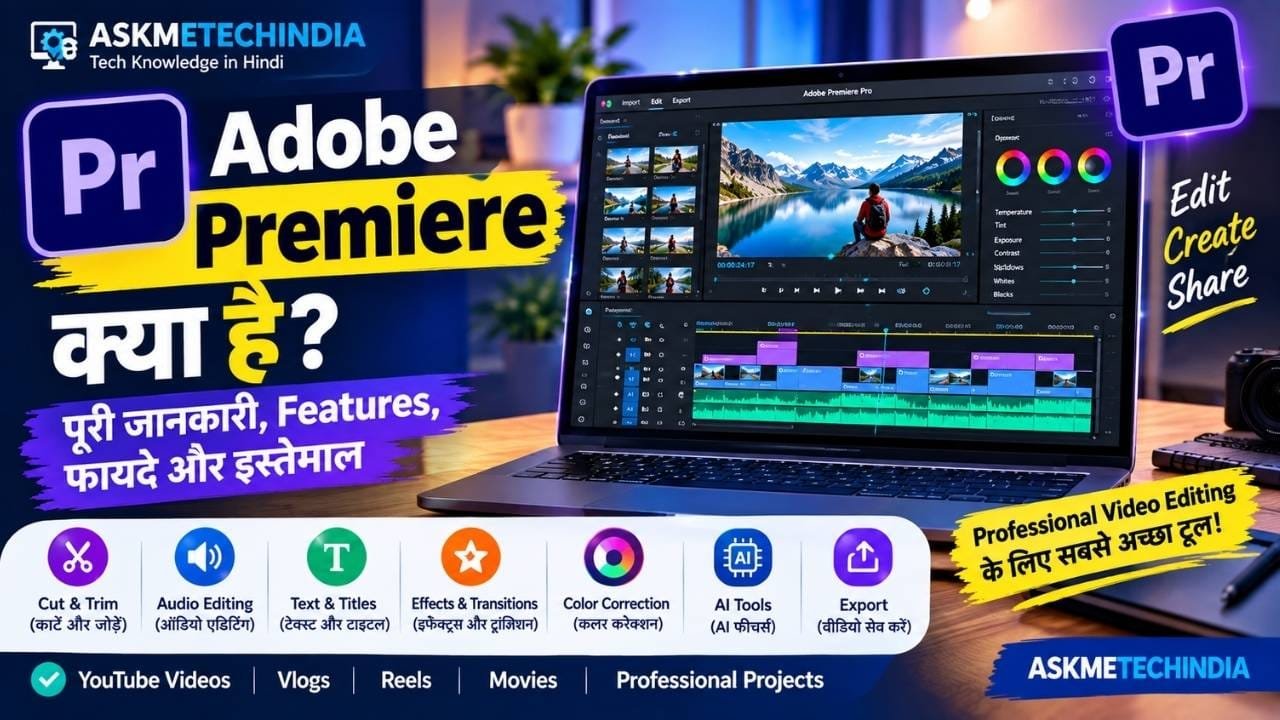
अगर आप YouTube Videos, Reels, Shorts, Vlogs, Movies या Professional Videos को अच्छे तरीके से Edit करना चाहते हैं, तो आपने Adobe Premiere का नाम जरूर सुना होगा। यह एक Professional Video Editing Software है, जिसका इस्तेमाल वीडियो को Cut और Trim करने से लेकर Audio Editing, Effects, Transitions, Color Correction, Text, Subtitles और Export करने तक के लिए किया जाता है।
इस लेख में हम जानेंगे कि Adobe Premiere क्या है, यह कैसे काम करता है, इसके Features क्या हैं, इसका इस्तेमाल कौन कर सकता है, इसके फायदे और नुकसान क्या हैं और इसे चलाने के लिए किस तरह के Computer की जरूरत होती है।
Adobe Premiere क्या है?
Adobe Premiere एक Professional Video Editing Software है, जिसे Adobe ने वीडियो एडिटिंग के लिए विकसित किया है। इसकी मदद से अलग-अलग Video Clips, Images और Audio Files को एक Timeline पर व्यवस्थित करके एक Complete Video तैयार किया जा सकता है।
इसे Beginner से लेकर Professional Video Editors, YouTubers, Content Creators, Filmmakers और Production Teams तक इस्तेमाल कर सकते हैं।
Adobe Premiere में आपको Basic Cutting से लेकर Advanced Video Editing तक के कई Tools मिलते हैं।
वीडियो एडिटिंग की शुरुआत करने से पहले Video Editing Software क्या है, इसके प्रकार और फायदे समझें, ताकि अपनी जरूरत के अनुसार सही Software चुनने और इस्तेमाल करने में आसानी हो।
Adobe Premiere से क्या-क्या कर सकते हैं?
Adobe Premiere का इस्तेमाल केवल Video Cut करने के लिए नहीं होता। इसके जरिए आप वीडियो के लगभग पूरे Post-Production Workflow को संभाल सकते हैं।
इसके प्रमुख काम हैं:
- Video Cut और Trim करना|
- कई Clips को एक साथ जोड़ना|
- Video की Speed बदलना|
- Background Music जोड़ना|
- Voice और Audio Edit करना|
- Text और Titles जोड़ना|
- Subtitles और Captions तैयार करना|
- Transitions लगाना|
- Video Effects लगाना|
- Color और Lighting Adjust करना|
- Green Screen Footage Edit करना|
- Multiple Camera Footage Edit करना|
- Social Media के लिए अलग-अलग Aspect Ratio में Video तैयार करना|
- Final Video को अलग-अलग Formats में Export करना|
Adobe Premiere कैसे काम करता है?
Adobe Premiere में Video Editing मुख्य रूप से Timeline-Based Editing पर आधारित होती है।
सबसे पहले आप अपने Video Clips, Photos और Audio Files को Project में Import करते हैं। इसके बाद उन्हें Timeline पर Drag करके एक Sequence तैयार करते हैं।
इसके बाद आप:
Import → Cut/Trim → Arrange → Effects → Audio → Color → Titles → Export
जैसे चरणों से गुजरकर Final Video तैयार कर सकते हैं।
Adobe Premiere के प्रमुख Features
1. Professional Video Editing
Premiere में Video Clips को बहुत Precision के साथ Cut, Trim और Arrange किया जा सकता है।
इसमें Ripple, Roll, Slip और Slide जैसे Editing Tools भी उपलब्ध हैं, जो Advanced Editing Workflow में उपयोगी होते हैं।
2. Timeline Editing
Timeline Adobe Premiere का सबसे महत्वपूर्ण हिस्सा है।
यहां Video, Audio, Music, Effects और अन्य Elements को अलग-अलग Tracks पर व्यवस्थित किया जा सकता है।
3. Audio Editing
Video के साथ Audio भी महत्वपूर्ण होता है। Premiere में Audio को Edit, Mix और Improve करने के लिए कई Tools मिलते हैं।
आप:
- Voice को Adjust कर सकते हैं|
- Background Music जोड़ सकते हैं|
- Audio Effects लगा सकते हैं|
- Noise कम कर सकते हैं|
- Voiceover जोड़ सकते हैं|
- Audio Levels को Balance कर सकते हैं|
4. Text और Titles
आप अपने Video में:
- Heading
- Title
- Subtitle
- Caption
- Lower Third
- अन्य Graphics
जोड़ सकते हैं।
YouTube Videos और Social Media Content के लिए यह Feature काफी उपयोगी है।
5. Effects और Transitions
Video Clips के बीच Smooth Transition देने के लिए Premiere में अलग-अलग Transitions उपलब्ध होते हैं।
इसके अलावा Video पर Visual Effects भी लगाए जा सकते हैं।
6. Color Correction और Color Grading
Premiere में Video के Colors को Adjust किया जा सकता है।
उदाहरण के लिए:
- Brightness
- Contrast
- Highlights
- Shadows
- Saturation
- Color Tone
जैसी Settings को Adjust करके Video का Look बदला जा सकता है।
7. AI Features
Adobe Premiere में अब कई AI-powered Features भी मौजूद हैं।
उदाहरण के लिए Adobe का Object Mask किसी Subject को पहचानकर उसे Mask और Track करने में मदद करता है। Generative Extend की मदद से कुछ परिस्थितियों में Video Clip को Timeline से Extend करने और अतिरिक्त Frames या Ambient Sound बनाने में सहायता मिल सकती है।
इसके अलावा Speech-to-Text, Enhance Speech और Text-Based Editing जैसे AI-assisted Tools भी Editing Workflow को तेज करने में मदद करते हैं।
8. Multiple Camera Editing
अगर किसी Event, Interview या Video को कई Cameras से Record किया गया है, तो Premiere में Multi-Camera Editing Workflow का इस्तेमाल किया जा सकता है।
9. Social Media Videos
YouTube, Instagram, Facebook और अन्य Platforms के लिए Video तैयार करने में भी Premiere उपयोगी है।
अलग-अलग Aspect Ratio के हिसाब से Video तैयार किया जा सकता है और Adobe Premiere में Auto Reframe जैसे Tools भी उपलब्ध हैं।
Adobe Premiere का इस्तेमाल कौन कर सकता है?
Adobe Premiere का इस्तेमाल अलग-अलग प्रकार के Users कर सकते हैं।
YouTubers
YouTube Videos को Professional तरीके से Edit करने के लिए Premiere उपयोगी है।
Content Creators
Reels, Shorts, Vlogs और अन्य Social Media Content तैयार किया जा सकता है।
Video Editors
Professional Video Editors Advanced Editing और Post-Production के लिए इसका इस्तेमाल कर सकते हैं।
Filmmakers
Films और बड़े Video Projects में भी Premiere का इस्तेमाल किया जाता है।
Beginners
Beginner भी Premiere सीख सकता है, लेकिन इसके बहुत सारे Advanced Tools होने के कारण शुरुआत में Interface और Workflow समझने में थोड़ा समय लग सकता है।
Adobe Premiere के फायदे
- Professional Editing Tools
- Advanced Timeline
- Powerful Audio Editing
- Color Correction और Grading Tools
- Effects और Transitions
- Multi-Camera Editing
- AI-assisted Features
- बड़े और Complex Projects के लिए उपयोगी
- Adobe के अन्य Creative Tools के साथ Workflow
- Social Media और Professional Production दोनों के लिए उपयोगी
Adobe Premiere के नुकसान
हर Professional Software की तरह Premiere की कुछ limitations भी हैं।
- Beginners को शुरुआत में Interface कठिन लग सकता है।
- अच्छे Performance के लिए बेहतर Hardware की जरूरत पड़ सकती है।
- 4K और बड़े Projects में ज्यादा RAM और GPU Performance उपयोगी होती है।
- Professional Features के कारण सीखने में समय लग सकता है।
- यह पूरी तरह Free Video Editor नहीं है।
Adobe Premiere चलाने के लिए कितनी RAM चाहिए?
Adobe की वर्तमान Windows requirements के अनुसार Premiere के लिए कम से कम 8GB RAM दी गई है, जबकि HD Editing के लिए 16GB और 4K या उससे ऊपर के काम के लिए 32GB या अधिक RAM Recommended है। Adobe वर्तमान Premiere versions के लिए GPU memory और fast SSD को भी महत्व देता है।
अगर आप केवल Basic 1080p Video Editing करना चाहते हैं, तो एक अच्छी CPU, पर्याप्त RAM और SSD वाला Computer उपयोगी रहेगा।
4K या Heavy Editing के लिए बेहतर CPU, ज्यादा RAM और Dedicated GPU ज्यादा उपयोगी रहेगा।
क्या Adobe Premiere Free है?
Adobe Premiere एक Paid Software है। Adobe की India website पर वर्तमान में Premiere के लिए अलग subscription plan उपलब्ध है और Creative Cloud plans में Premiere के साथ अन्य Adobe applications भी शामिल हो सकते हैं। Pricing समय और promotional offers के अनुसार बदल सकती है।
इसलिए खरीदने से पहले Adobe की Official Website पर वर्तमान कीमत और plan details जरूर देखें।
Official Adobe Premiere: Adobe Premiere की Official Website
System Requirements: Adobe Premiere System Requirements
Adobe Premiere और Adobe Premiere Pro में क्या अंतर है?
बहुत से लोग अभी भी इसे Adobe Premiere Pro के नाम से जानते हैं।
Adobe ने अपने वर्तमान product branding में इसे मुख्य रूप से Adobe Premiere के नाम से प्रस्तुत किया है। इसलिए इंटरनेट पर आपको पुराने और नए दोनों नाम दिखाई दे सकते हैं।
Adobe Premiere सीखने में कितना समय लगता है?
यह आपके लक्ष्य और रोजाना दिए जाने वाले समय पर निर्भर करता है।
अगर आप बिल्कुल Beginner हैं, तो शुरुआत इन चीजों से करें:
- Premiere का Interface समझें|
- नया Project बनाना सीखें|
- Media Import करना सीखें|
- Timeline समझें|
- Cut और Trim सीखें|
- Audio जोड़ना सीखें|
- Text और Subtitles लगाना सीखें|
- Transitions सीखें|
- Basic Color Correction सीखें|
- Video Export करना सीखें|
इसके बाद धीरे-धीरे Advanced Effects, Color Grading, Multi-Camera Editing और AI Features सीख सकते हैं।
Adobe Premiere किसके लिए उपयोगी है?
अगर आपका उद्देश्य केवल कभी-कभार किसी Video को Cut करना है, तो कोई Simple Video Editor भी पर्याप्त हो सकता है।
लेकिन अगर आप:
- YouTube Channel चलाते हैं|
- Professional Videos बनाते हैं|
- Long-form Videos Edit करते हैं|
- Vlogs बनाते हैं|
- Reels और Shorts बनाते हैं|
- Client के लिए Video Editing करते हैं|
- Film या Documentary Editing सीखना चाहते हैं|
तो Adobe Premiere के Advanced Tools आपके काम आ सकते हैं।
FAQs
Adobe Premiere क्या है?
Adobe Premiere एक Professional Video Editing Software है, जिसका इस्तेमाल Video Editing, Audio, Effects, Titles, Color और Export जैसे कामों के लिए किया जाता है।
क्या Adobe Premiere Free है?
नहीं, Adobe Premiere मुख्य रूप से Paid Subscription Software है।
क्या Adobe Premiere Beginner के लिए है?
हाँ, Beginner इसे सीख सकता है, लेकिन इसके Advanced Features के कारण शुरुआत में Interface समझने और Practice करने की जरूरत पड़ती है।
Adobe Premiere में YouTube Video बना सकते हैं?
हाँ, YouTube Videos के लिए Video Editing, Audio, Titles, Captions, Effects और Export जैसे काम किए जा सकते हैं।
Adobe Premiere के लिए कितनी RAM चाहिए?
Adobe की वर्तमान requirements में minimum 8GB RAM है। HD Editing के लिए 16GB और 4K या उससे ऊपर के लिए 32GB या अधिक RAM Recommended है।
Adobe Premiere और Premiere Pro एक ही हैं?
वर्तमान Adobe branding में इसे Adobe Premiere कहा जाता है। पुराने documentation और tutorials में Adobe Premiere Pro नाम भी बहुत देखने को मिलता है।?
Final Words
Adobe Premiere एक Professional Video Editing Software है, जिसकी मदद से Basic Cutting से लेकर Advanced Video Editing, Audio Editing, Color Correction, Effects, Titles, Captions और Professional Post-Production तक का काम किया जा सकता है।
इसमें AI-powered Features भी लगातार जुड़ रहे हैं, जिससे कुछ Editing Tasks को तेजी से पूरा करने में मदद मिलती है।
अगर आप Video Editing को केवल एक सामान्य काम की बजाय एक Professional Skill के रूप में सीखना चाहते हैं, तो Adobe Premiere के Workflow और Tools को समझना उपयोगी हो सकता है।


