

Google Gemini AI क्या है? Features, Uses और Complete Deep Guide
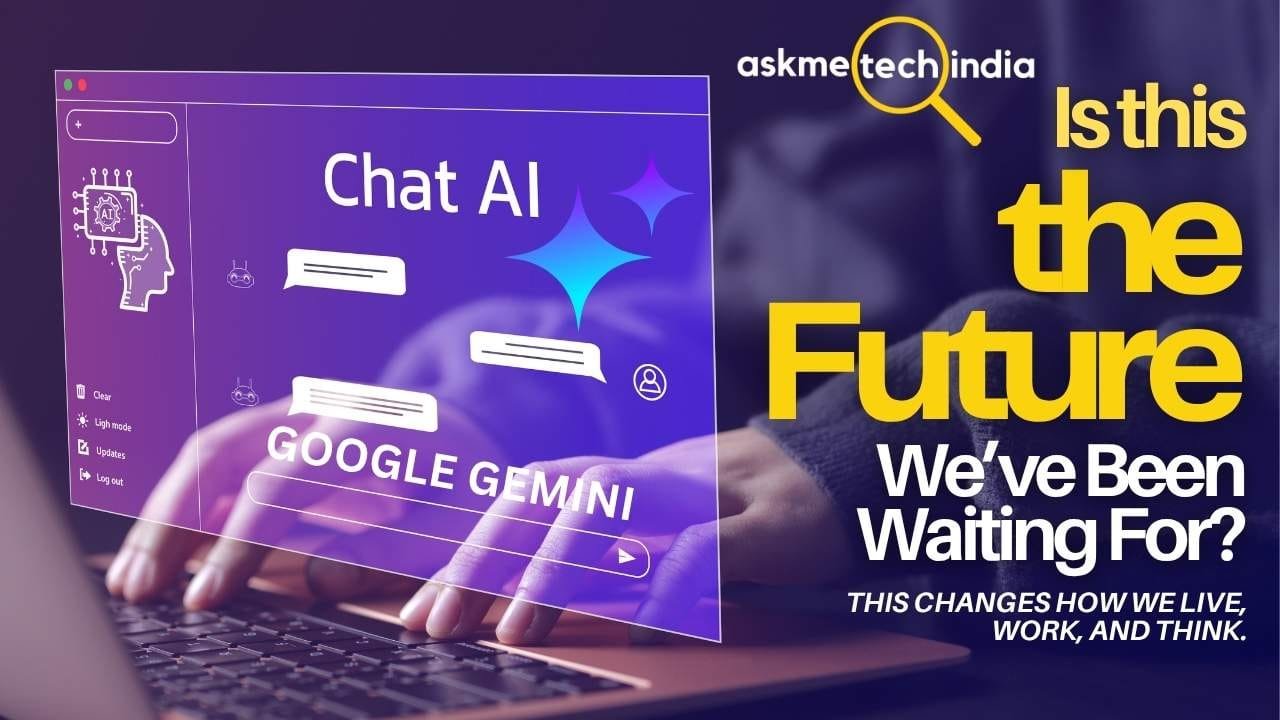
आज की दुनिया में Artificial Intelligence सिर्फ एक buzzword नहीं रह गया है। यह हमारे काम करने, सीखने और रोजमर्रा की जिंदगी का हिस्सा बन चुका है। इसी AI क्रांति का एक बड़ा नाम है Google Gemini AI।
अगर आपने कभी सोचा है कि Google Gemini AI क्या है, यह कैसे काम करता है, इसके latest features क्या हैं और इसे practically कैसे इस्तेमाल किया जा सकता है, तो यह article आपके लिए है। हम यहाँ सिर्फ surface-level जानकारी नहीं देंगे। बल्कि 2026 की स्थिति के अनुसार deep, practical और updated explanation देंगे।
Google Gemini AI क्या है?
Google Gemini AI, Google DeepMind द्वारा विकसित एक advanced multimodal AI system है। इसे शुरू में December 2023 में लॉन्च किया गया था। तब यह मुख्य रूप से एक powerful chatbot और language model के रूप में आया था। लेकिन पिछले दो-तीन सालों में इसमें जबरदस्त evolution हुआ है।
2026 में “Gemini” सिर्फ एक मॉडल या chatbot नहीं है। यह तीन inter-connected चीजों का combination है:
- Gemini Models Family – अलग-अलग capability वाले AI models (जैसे Gemini 3.7 Flash, 3.6 Flash, 3.1 Pro आदि)
- Gemini App – Consumer-facing AI assistant जो वेब, Android, iOS और Mac पर उपलब्ध है
- Gemini Integration Layer – Google Search (AI Mode), Gmail, Docs, Drive, Calendar, Maps, YouTube और अन्य Google products के अंदर embedded AI capabilities
Gemini की सबसे बड़ी खासियत इसकी multimodal nature है। इसका मतलब यह text के अलावा image, video, audio और code को भी deeply समझ सकता है और उनके आधार पर response generate कर सकता है।
2026 तक Gemini 900 million से ज्यादा monthly active users तक पहुँच चुका है और कई markets में यह Google Assistant की जगह भी ले रहा है। Google इसे “agentic AI era” की तरफ ले जा रहा है, जहाँ AI सिर्फ जवाब नहीं देता बल्कि tasks को execute भी करता है।
इसे भी पढ़ें: Generative AI क्या है? पूरी जानकारी और इसके 7 शानदार फायदे
Gemini की Technical Foundation (सरल भाषा में)
Gemini models को multimodal training के साथ बनाया गया है। ये models text, images, video frames, audio waveforms और code को एक ही unified representation में process करते हैं।
इसकी वजह से Gemini किसी photo को देखकर उसका description दे सकता है, video का summary बना सकता है, uploaded document को analyze कर सकता है या code को debug कर सकता है।
Context window भी काफी बड़ा है (कई models में लगभग 1 million tokens तक), जिससे लंबे documents, पूरी books या बड़े codebases के साथ काम करना आसान हो जाता है।
Google Gemini के Latest Models (2026 Update)
2026 में Gemini model lineup काफी mature हो चुका है। मुख्य models इस प्रकार हैं:
- Gemini 3.7 Flash: सबसे latest workhorse model। Coding, agentic workflows और multi-step tasks के लिए optimized। Speed और intelligence का अच्छा balance।
- Gemini 3.6 Flash: Everyday multimodal tasks के लिए previous generation का strong performer।
- Gemini 3.5 Flash / Flash-Lite: बहुत तेज और cost-efficient। High volume या simple tasks के लिए।
- Gemini 3.1 Pro: Complex reasoning, deep analysis और advanced problem-solving के लिए।
- Gemini Omni: Video generation और editing पर focused। Text, image या video input से high-quality video output बना सकता है।
- Specialized variants: Image generation (Nano Banana series), Live voice models, TTS आदि।
Free users को आमतौर पर Flash series मिलता है। Google AI Pro और Ultra subscribers को advanced models, higher rate limits और exclusive features मिलते हैं।
Google Gemini AI के प्रमुख Features (Deep Dive)
1. Multimodal Understanding और Reasoning
Gemini की सबसे powerful capability यही है। आप photo, screenshot, handwritten notes, diagrams, video clips या audio upload कर सकते हैं और natural language में सवाल पूछ सकते हैं।
उदाहरण:
- किसी product की photo दिखाकर उसके बारे में details पूछना
- Mathematical diagram upload करके step-by-step solution माँगना
- Meeting की recording upload करके summary और action items निकालना
2026 में इसकी spatial और visual reasoning भी काफी improve हो चुकी है।
2. Deep Research
यह feature Gemini को ordinary chatbot से अलग बनाता है। जब आप कोई complex topic देते हैं तो Gemini:
- Research plan बनाता है
- Multiple web sources से information इकट्ठा करता है
- Information को analyze और synthesize करता है
- Structured, cited report generate करता है
आप report को refine भी कर सकते हैं या उस पर follow-up सवाल पूछ सकते हैं। Students, researchers, content creators और professionals के लिए यह बहुत useful है।
3. Gemini Spark – 24/7 Personal AI Agent
2026 का सबसे महत्वपूर्ण shift agentic capability की तरफ है। Gemini Spark एक proactive personal agent है जो आपके direction में काम करता है।
यह सिर्फ जवाब नहीं देता बल्कि tasks को manage भी कर सकता है — जैसे emails organize करना, calendar events handle करना, research जारी रखना या multi-step workflows execute करना। यह cloud पर continuously चल सकता है, भले ही आपका device बंद हो।
4. Gemini Live (Natural Voice Conversation)
Typing की बजाय बोलकर बातचीत करने का feature। Conversation काफी natural लगता है। Brainstorming, language practice, trip planning या complex problems discuss करने के लिए ideal है। Regional accents और multiple languages support भी है।
5. Deep Google Ecosystem Integration
Gemini की असली ताकत Google apps के साथ native integration में है:
- Gmail में email summarize, draft और AI Overviews
- Google Docs/Sheets में content generation और analysis
- Drive में files search और summarize
- Calendar के साथ scheduling help
- Search में AI Mode
Permission देने पर यह आपके data को context के रूप में use कर सकता है (privacy controls के साथ)।
6. Image और Video Generation & Editing
Nano Banana models से high-quality images generate और edit किए जा सकते हैं। Gemini Omni के जरिए video creation और editing भी संभव है। Creative professionals और content creators के लिए यह बड़ा plus point है।
7. Agentic Coding और Developer Features
Developers के लिए Gemini coding, debugging, multi-file understanding और agentic workflows में मजबूत है। Google AI Studio, Antigravity platform और API के जरिए advanced use cases possible हैं।
8. Personalization और Memory
आप Gemini को instructions दे सकते हैं कि वह किस style में जवाब दे। Memory feature पिछले conversations को remember कर सकता है (user control के साथ)।
9. Long Context और Multi-step Problem Solving
बड़े documents, lengthy conversations और complex multi-step tasks को handle करने की क्षमता।
Google Gemini AI कैसे इस्तेमाल करें? (Step-by-Step)
Basic Setup
- gemini.google.com पर जाएं या mobile app download करें।
- Google account से login करें।
- Language settings में Hindi select कर सकते हैं।
- Settings → Personal Intelligence / Instructions में अपनी preferences सेट करें।
Practical Usage Tips
- Clear, specific और context-rich prompts लिखें।
- Image, PDF या files upload करके बेहतर results लें।
- Complex topics के लिए Deep Research mode use करें।
- Voice conversation के लिए Gemini Live चालू करें।
- Google apps के अंदर directly Gemini features activate करें।
Advanced Tips
- Follow-up questions पूछकर conversation को deep बनाएं।
- “Explain like I’m 10” या “Give examples” जैसे instructions दें।
- Research reports को Google Docs में export करें।
- Gems (custom versions) बनाकर specific use cases के लिए specialized assistants बनाएं।
Practical Use Cases (Real-Life Examples)
Students के लिए
- Lengthy chapters का summary
- Difficult concepts को simple भाषा में समझना
- Assignment research और references
- Exam preparation के notes बनाना
Working Professionals
- Email drafting और summarization
- Meeting notes से action items निकालना
- Report writing और data analysis
- Presentation content तैयार करना
Content Creators और Marketers
- Content ideas brainstorm करना
- Scripts, captions और blog outlines
- Image/video generation
- Competitor research
Developers
- Code generation, explanation और debugging
- Documentation लिखना
- Multi-step development tasks
Daily Life
- Trip planning
- Recipe suggestions with available ingredients
- Language translation और practice
- Camera से objects, plants या documents identify करना
Gemini की Limitations और सावधानियाँ
कोई भी AI perfect नहीं होता। Gemini भी:
- कभी-कभी hallucinate (गलत information) कर सकता है
- Real-time critically important decisions के लिए अकेले rely नहीं करना चाहिए
- Sensitive personal data share करते समय privacy settings चेक करने चाहिए
- Creative writing में कुछ competitors से अलग style हो सकता है
हमेशा important information को verify करें और official sources से cross-check करें।
Privacy और Security के बारे में
Google Gemini privacy controls देता है। आप activity को review और delete कर सकते हैं। Workspace accounts में enterprise-grade controls उपलब्ध हैं। Personal use के दौरान sensitive financial, medical या confidential data share करने से बचें जब तक जरूरी न हो।
FAQ – अक्सर पूछे जाने वाले सवाल
Q1. Google Gemini AI पूरी तरह फ्री है क्या? Basic features और Flash models फ्री में उपलब्ध हैं। Advanced models, higher limits, Spark की full capabilities और कुछ creative features के लिए paid plans (AI Plus, Pro, Ultra) की जरूरत पड़ती है।
Q2. क्या Gemini Hindi में अच्छे से काम करता है? हाँ। Hindi सहित कई भारतीय भाषाओं में text और voice दोनों support मजबूत है। Responses भी natural Hindi में मिल सकते हैं।
Q3. Gemini ChatGPT से बेहतर है या नहीं? यह use-case पर depend करता है। Google ecosystem, multimodal (खासकर video/image), Deep Research और integration में Gemini मजबूत है। Creative writing और कुछ agent workflows में ChatGPT अलग strengths रखता है।
Q4. Gemini Spark और ordinary Gemini में क्या फर्क है? Ordinary Gemini मुख्य रूप से conversational assistant है। Spark एक proactive 24/7 agent है जो tasks को execute और manage कर सकता है।
Q5. क्या मैं Gemini को offline use कर सकता हूँ? अधिकांश advanced features के लिए internet की जरूरत होती है। कुछ on-device capabilities limited form में उपलब्ध हो सकती हैं।
Q6. Students के लिए Gemini कितना useful है? बहुत useful है, बशर्ते उसे learning aid के रूप में इस्तेमाल किया जाए न कि पूरी assignment copy करने के लिए। Understanding और research में यह काफी मददगार साबित होता है।
Final Words
Google Gemini AI 2026 में एक mature, multimodal और agentic AI platform बन चुका है। यह सिर्फ सवालों के जवाब देने वाला chatbot नहीं रह गया है। Deep Research, Gemini Spark, strong Google integration और multimodal capabilities की वजह से यह students, professionals, creators और everyday users सभी के लिए powerful tool है।
अगर आपने अभी तक सिर्फ basic chatting की है तो Deep Research, Live conversation और Google apps integration जरूर try करें। सही तरीके से इस्तेमाल करने पर यह productivity और learning दोनों को next level पर ले जा सकता है।
इस guide को bookmark कर लें और समय-समय पर features explore करते रहें क्योंकि Gemini continuously evolve हो रहा है।


